Hakan Çelik
· Hakan Çelik · Python · 3 dk okuma
Python Installation
Python Installation
Installing Python on Linux
$ sudo apt-get install software-properties-common
$ sudo add-apt-repository ppa:deadsnakes/ppa
$ sudo apt-get update
$ sudo apt install python3.8
$ sudo apt-get install python3.8-dev
$ sudo apt-get install python3.8-pip
You don’t need to perform the last installation right now:
$ sudo apt-get install python3.8-pipHere we are installing pip, Python’s package manager. We will examine and use pip in more detail when we get to the
{% page-ref page=“kutuphane-modul-ve-paketler.md” %}
topic, so it is not required at this stage. Open your bash console, type python3.8, and you will see that it is installed and ready to use, as shown below:
$ python3.8
Python 3.8.2 (default, Feb 26 2020, 02:56:10)
[GCC 7.4.0] on linux
Type "help", "copyright", "credits" or "license" for more information.
>>>
What Is WSL?
WSL stands for Windows Subsystem for Linux.
This feature, available only on Windows 10, lets you run Linux on Windows much faster than using tools like VirtualBox, without a full virtual machine. WSL gives you that capability.
Installing WSL
Open PowerShell as an administrator and run the following command:
Enable-WindowsOptionalFeature -Online -FeatureName Microsoft-Windows-Subsystem-LinuxRestart your computer if prompted.
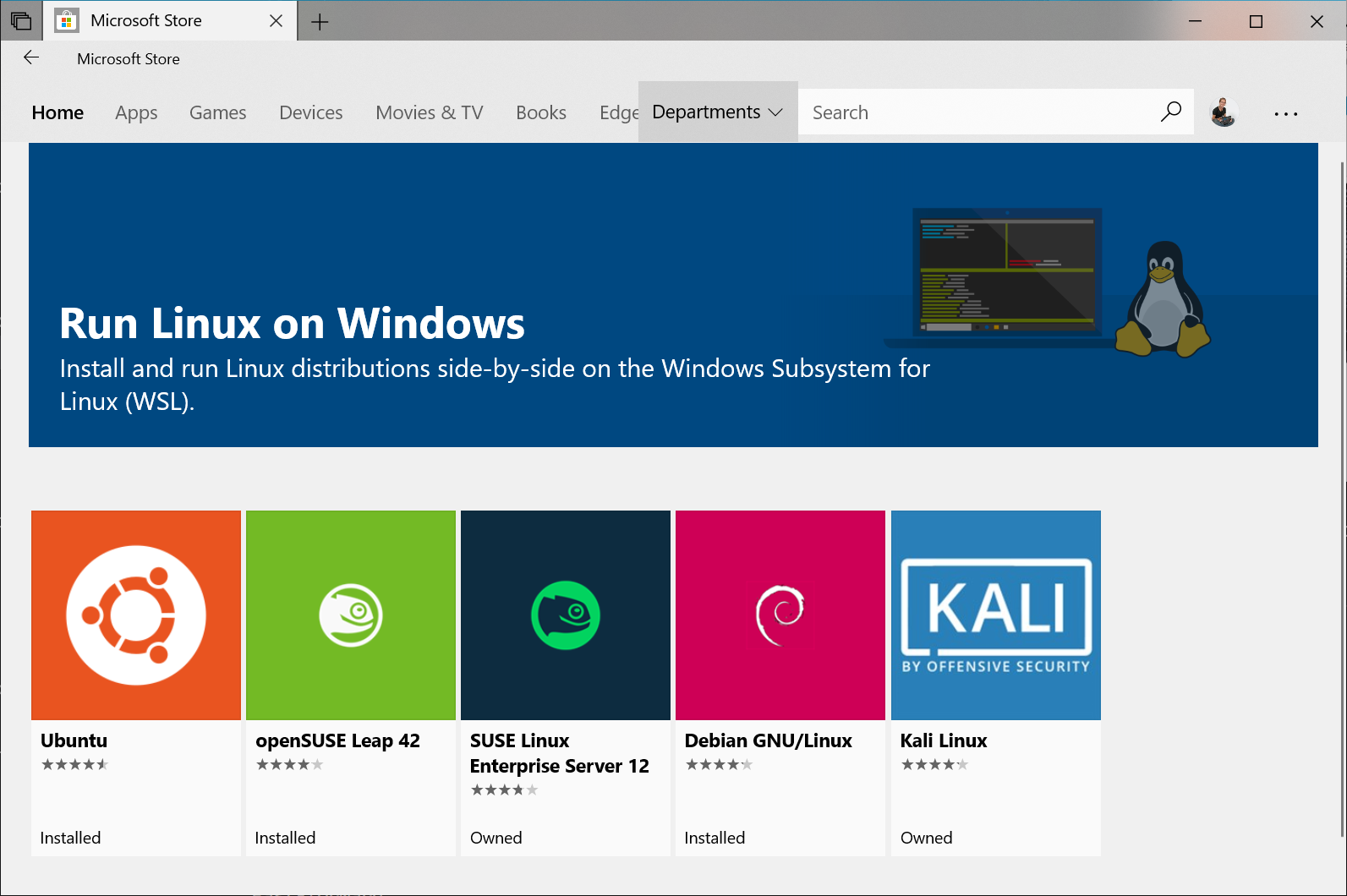
Go to the Microsoft Store and install Ubuntu (download it).
For more information, visit: https://docs.microsoft.com/en-us/windows/wsl/install-win10
After the download is complete, the first launch will ask you for a username and password — set them as you like. Then install Python by following the same Linux instructions I described above.
Once Python is installed, you can start the Python console by typing python3.8 in the console you are in.
Installing Python on Windows
I don’t recommend this — use Linux, macOS, or WSL instead.
Download the latest Python version from Python’s own website https://www.python.org/ in the download section and run it.
A screen like this will appear:
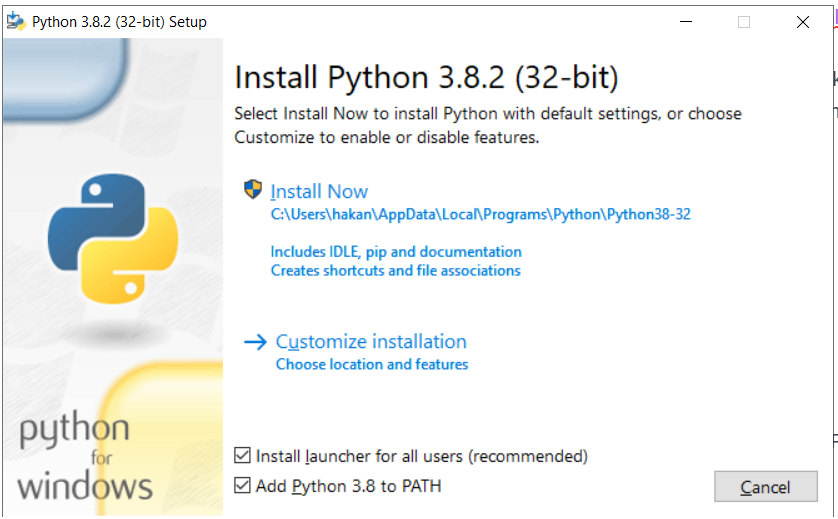
Select Add Python 3.8 to PATH at the bottom as shown above and click Customize installation to continue.
On the next page, leave everything selected and press Next.
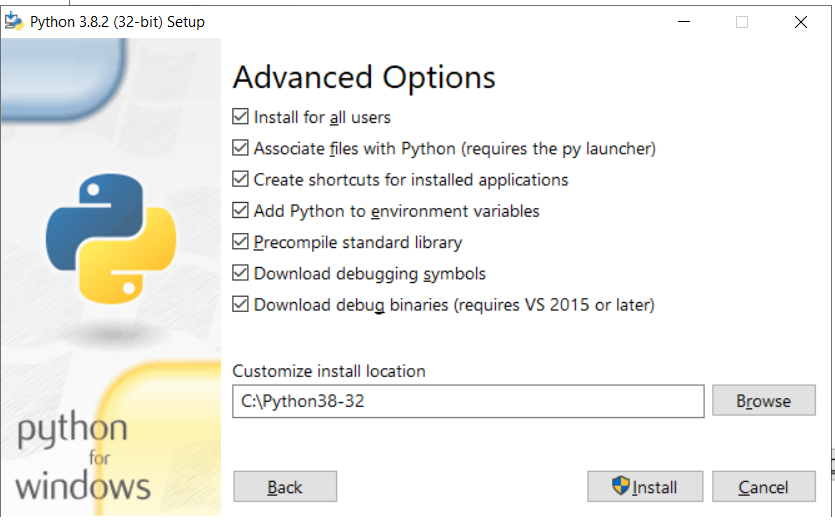
Fill in the next page as shown above, then click Install to proceed with the installation.
After installation is complete, you can access the Python console by typing Python in the search bar, or type cmd.exe in the search bar, open that console, and type python — the Python console will appear there as well.
Where Will We Write Our Code and How Will We Run It?
If you know Python and want to make small experiments, or if you’re just starting out and want to experiment and see results to learn, you can use the console appropriate for your operating system, such as cmd or bash.
What Is a Text Editor?
In brief, it is a computer program that edits text files.
What Is Atom?
Atom is, in short, a text editor. Although there are many other editors, Atom was the first editor I used. I now use VSCode.
You can research editors and IDLEs and download and use whichever one you like best and feel most comfortable with. I’ll give you a few keywords to search for:
vim, pycharm, emacs, atom, vscode